
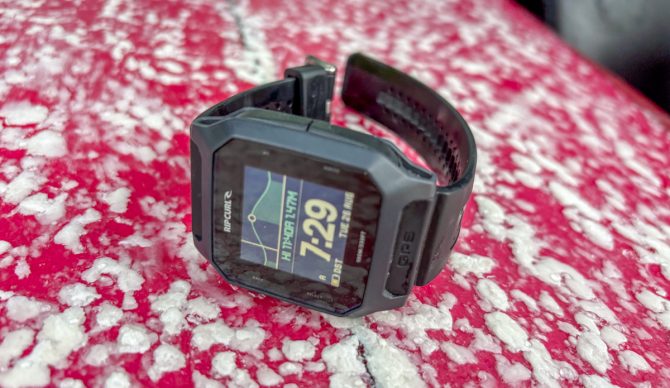
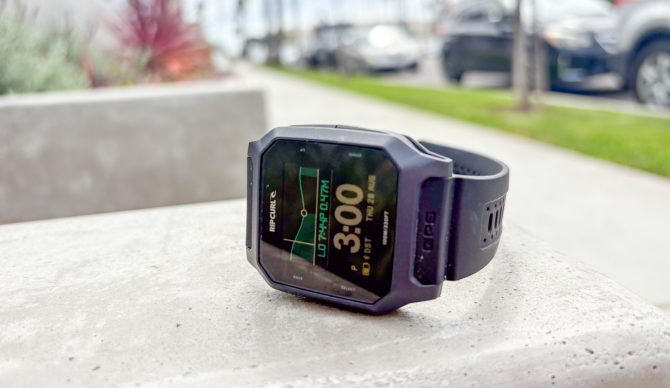
The Rip Curl Search GPS3. Photo: Dylan Heyden//The Inertia

Over the last few years, I’ve gotten into running as a way to build my fitness for extended surf days and winter backcountry travel. And very quickly, I’ve learned how beneficial a GPS watch can be for tracking performance. These days, the market is awash with GPS watch options, but very few are built with the needs of surfers in mind. A quick scan of the different offerings from some of the most recognizable brands in the space (think Garmin, Suunto, Coros, and Apple) reveals that, at best, getting key info relevant to surfers like tide or surf conditions is a hassle of add-ons or widgets, or at worst, there’s no way to display this info at all.
Rip Curl’s Search GPS3 ($250) is different. The third iteration of the brand’s surf-specific GPS watch, the Search GPS3, is a streamlined GPS tracker that displays current and future tide information, surf conditions, and more on its default display – no clunky workarounds required.
For the past several months, I’ve had the opportunity to test the Rip Curl Search GPS3 in and out of the water – tracking surfs and runs around home. And while the Search GPS3 lacks some of the features you might find in GPS watches at higher price points, it absolutely delivers on the essentials surfers need the most and then some. For more surf watch options, head to our Best Surf Watches review.
Bottom Line: The Rip Curl Search GPS3 is the ideal GPS watch for surfers who prioritize having ocean conditions info at their fingertips. The Search GPS3 lacks a heart rate monitor and isn’t ideal for multisport athletes hoping for Apple Fitness, but it does have some limited Strava integration. If you’re looking to upgrade from a standard tide watch to a light, comfortable number that tracks key stats for each surf and also allows you to view your clips using Surfline’s Sessions feature, the Search GPS3 is a great option.
Check Price on Rip CurlRelated: Best Surf Watches | Best Wetsuits | Best Women’s Wetsuits | More Surf Reviews
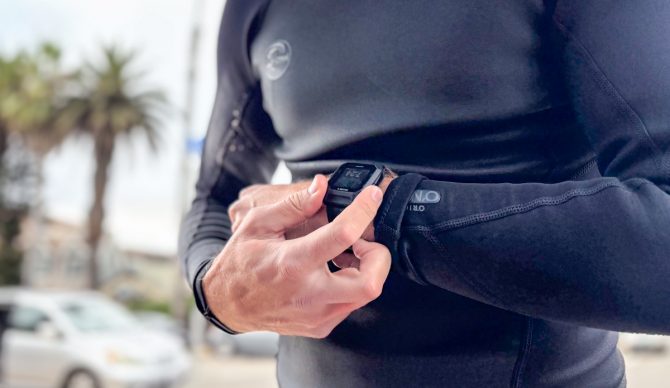
Lightweight and function-packed, the Search GPS3 delivers. Photo: Dylan Heyden//The Inertia
Testing the Rip Curl Search GPS3
Between dad life and holding down a job, squeezing in surfs on a consistent basis is a matter of taking advantage of very specific time windows. As a result, a reliable waterproof timepiece has been a staple of my quiver for longer than I can remember. For the better part of three years, I’ve had the good fortune to be able to put my years of experience to use by rigorously testing the best surf watches out there. Through these efforts, I became aware that Rip Curl was working on an updated version of their Search GPS2 watch a while back and have since been anxiously awaiting the opportunity to see what they came up with.
Rip Curl has been in the GPS watch business for over a decade, launching the original Search GPS watch in 2014 and their lighter Search GPS2 in 2018. Since then, other brands have tried their hand at surf-oriented GPS watches (most notably Garmin, which came out with the now-discontinued Instinct 2 Solar Surf edition) with mixed success.
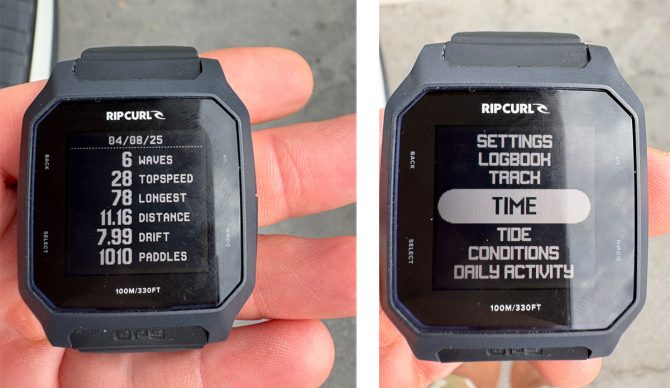
Tracking stats are easy to view on the watch face itself, and easy-to-navigate menus mean you don’t need to use the app for most of the watch’s functions. Photo: Dylan Heyden//The Inertia
Rip Curl, on the other hand, continues to improve with each iteration of the Search GPS, and the Search GPS3 is no exception. Like the previous version, the GPS3 displays live surf conditions when properly synced with a phone, and offers tracking of top speed, paddle distance, and other stats. The new version, though, is thinner and lighter than the last version, with an entirely new case construction, has a vivid high-res color display, counts steps/paddles, and estimates calories burned each day. The Search also works best with Rip Curl’s Search app, which has been completely redesigned compared to previous versions.
Rip Curl dropped the Search GPS3 earlier this year, and I managed to get my hands on one for testing just a few months ago. Since then, I’ve taken the Search GPS3 out with me for surfs in and around North Orange County, primarily, as well as a brief weekend skip to Northern Baja.
I also tracked a handful of runs for good measure to see how the Search GPS3 compares to other running watches I’m accustomed to. Obviously, testing in such a short period of time doesn’t allow for testing the full scope of the GPS3’s durability over time, or comfort and functionality after months of standard wear. So, we’ll be sure to update this guide with more info as we get a better sense of how the Search GPS3 holds up over time.
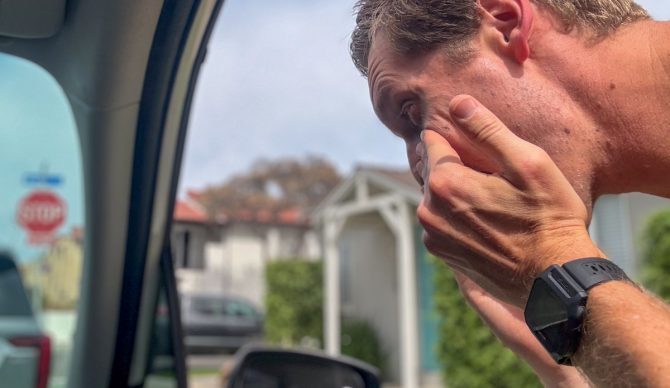
Lightweight and comfortable, the Search GPS3 is surprisingly good for all-day wear. Photo: Dylan Heyden//The Inertia
What I Like About the Rip Curl Search GPS3
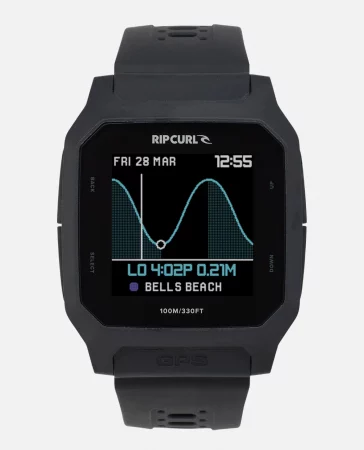
Construction: Mono construction, injection molded PPS fiber reinforced case
Waterproof Rating: 100m
Size: 43mm case, 22-24mm tapered strap
Cost: $250
Pros: Vivid default customizable display with tide and surf conditions, GPS surf session tracking integrates with either the Rip Curl Search app or Surfline, battery life lasts multiple days, and connects to Strava
Cons: No heart rate monitor, data does not push to health apps like Apple Fitness, GPS tracking coverage can be spotty
Detailed Stats and Tracking
It goes without saying that surf tracking is probably the reason you’re considering the Search GPS3 over a standard tide watch. So, how does the GPS3 do in that department? Honestly, pretty great. Out of the box, there’s very little setup to get up and rolling. Through the watch’s settings, you can allow the GPS to autosync tide data to your nearest break, and when you’re ready to roll, you just navigate to “Track”, wait for the GPS to pick up your location, confirm, and you’re ready to rock.
As you surf, the watch will display your wave count, top speed, time, and tide info, which is all super helpful. And when you complete your surf, you just stop tracking, and your session will be saved to your logbook, where you can view all your stats for that session again any time. That all of this is self-contained in the watch and doesn’t require anything extra is pretty convenient.
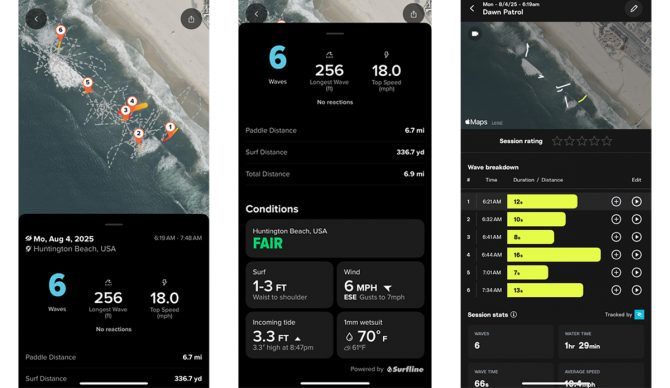
The Search app provides another level of surf tracking with heatmaps, sharing, and connection to Surfline Sessions. Photo: Dylan Heyden//The Inertia
But, pair with your phone and you also get seamless integration with Rip Curl’s Search app that allows you to see heatmaps of all your sessions, share on social media, and compete against your friends. The app also pushes current surf conditions to the display on your watch, so definitely a must.
Where things get really interesting, though, is with Surfline Sessions. Available to Surfline Premium subscribers, Sessions allows you to track a session with your watch, and when the data is pushed to Surfline, the Sessions tab in the app will automatically populate with all of your clips from the day, so long as there is a cam at that location. Seeing all of your waves for the day can be equal parts fun and demoralizing, but it’s a pretty cool feature that is only compatible with select GPS watches out there, Rip Curl’s Search GPS3 being one.
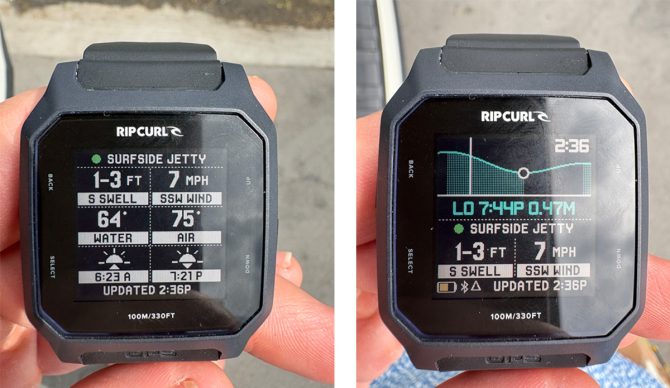
Surf conditions are easy to view with a few different display styles. Photo: Dylan Heyden//The Inertia
Vivid Display with Tide and Surf Conditions
Next to the GPS3’s tracking abilities, the next most important question is how it is as a tide watch? The answer here, too, is quite great. The display is vivid enough on its own with crisp, easy-to-read time and tide data, but add the backlight, and the visibility is best in class. The default view allows you to toggle between digital watch only, digital time with tide chart, and digital time with tide chart and current surf conditions, depending on preference.
Flick through the menus and you’ve got the option to get even more detailed info on surf conditions, track your surf, look at your logbook, look at moon phase or future tide info, and more. This improves on the level of data you’d get from a standard tide watch by leaps and bounds. To be honest, the only watch I have been able to get live surf conditions on the display in several years of surf watch testing has been an Apple Watch with a very specific add-on app for a monthly fee. So, the fact that the Search GPS3 features this info built-in can’t be overstated.
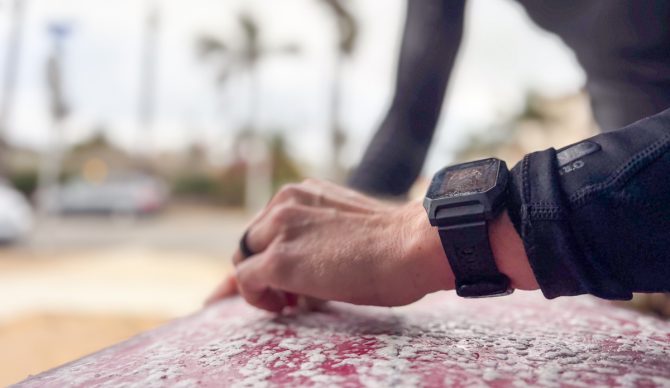
We tested the watch in black, but it’s also available with a white or blue watchband. Photo: Dylan Heyden//The Inertia
Light and Comfortable to Wear
These days, “rugged” in the world of watches may as well just mean heavy, which is no good. After all, what use is a timepiece with a titanium case that will last a hundred years if you feel it with every pop-up and hand jive? Compared to heavier numbers I’ve put through testing over the years, the GPS3 was positively feathery. In the water, if I weren’t periodically glancing at the time and checking my stats, I could have easily forgotten that I was wearing it. The rubber band itself was easily adjustable and flexible without that latent tackiness you find in some rubbers that can rub against and irritate your arm hair or skin.
One consideration on comfort, though, is the watch’s size. While the large 43mm case was great for me as a person with a large wrist who prefers larger watch faces, it ran pretty large on my wife, who has much smaller wrists. For now, the Search GPS3 is only offered in one size, so if you prefer something a bit smaller, you may want to factor that in.
As a surf-specific tracker, the GPS3 has no equal, but it falls a little short as a true multisport watch. Photo: Dylan Heyden//The Inertia
Drawbacks
No Heart Rate Monitoring
While the Search GPS3 nails everything surf‑specific, it doesn’t track your heart rate. So, if you’re hoping to get a sense of your heart rate while paddling compared to when you’re waiting for a set wave out the back, you may need a different wearable for that. An upgrade from the previous iteration of the Search is that the GPS3 does estimate calories burned over the course of each day. The problem is that it doesn’t take your heart rate into consideration, which is necessary to factor in the intensity of a given activity.
While heart rate monitoring isn’t hugely important for performance in surfing, it can be super helpful to train intensity for other sports like running. Even though the GPS3’s “track” feature allows you to specifically track a surf, a run, a ride, or “other”, not being able to actively monitor the intensity you’re putting in a run or ride limits the functionality of the GPS3 as a true multi-sport option.
Limited Compatibility with Other Fitness Apps
The Rip Curl Search app is great, but if you are obsessive-compulsive about closing your rings each day in Apple Health, it can be a little frustrating that the Search GPS3 doesn’t push any data to any third-party apps besides Surfline. Hopefully, this is an easily remedied oversight that comes in future app updates. And in fact, since our publishing of this article, Surfline has announced that Surfline Sessions can now be linked to Strava, meaning you’ll be able to get your surf sessions shared with the masses.
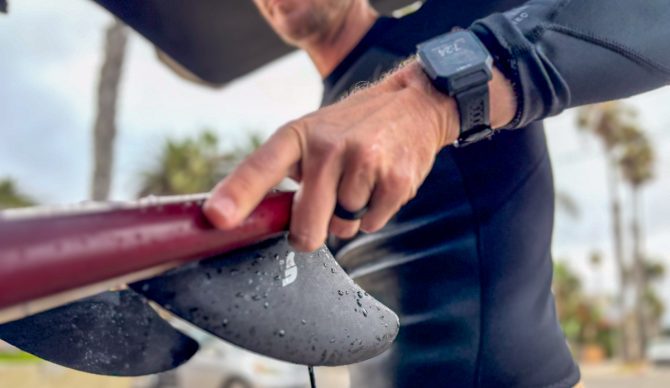
The best surf-specific activity tracker on the market? We think so. Photo: Dylan Heyden//The Inertia
Final Thoughts
The Rip Curl Search GPS3 isn’t trying to be everything – it just wants to do one thing really well: improve your understanding of your surf sessions. And it does this exceptionally well both as a standalone watch and when synced with Rip Curl’s Search app and (optionally) Surfline Premium. It’s one of the few GPS watches out there (only?) to feature live surf conditions in a default display, and it’s super comfortable for all-day wear and marathon sessions.
While the Search GPS3 may not be suited for multisport athletes looking to log other activities and monitor their overall training load, for dedicated surfers looking for a timepiece that can deliver tide and time while also tracking meaningful stats with each surf, the Search GPS3 may be just the thing.
Check Price on Rip CurlRelated: Best Surf Watches | Best Wetsuits | Best Women’s Wetsuits | More Surf Reviews

